1. Toolkits
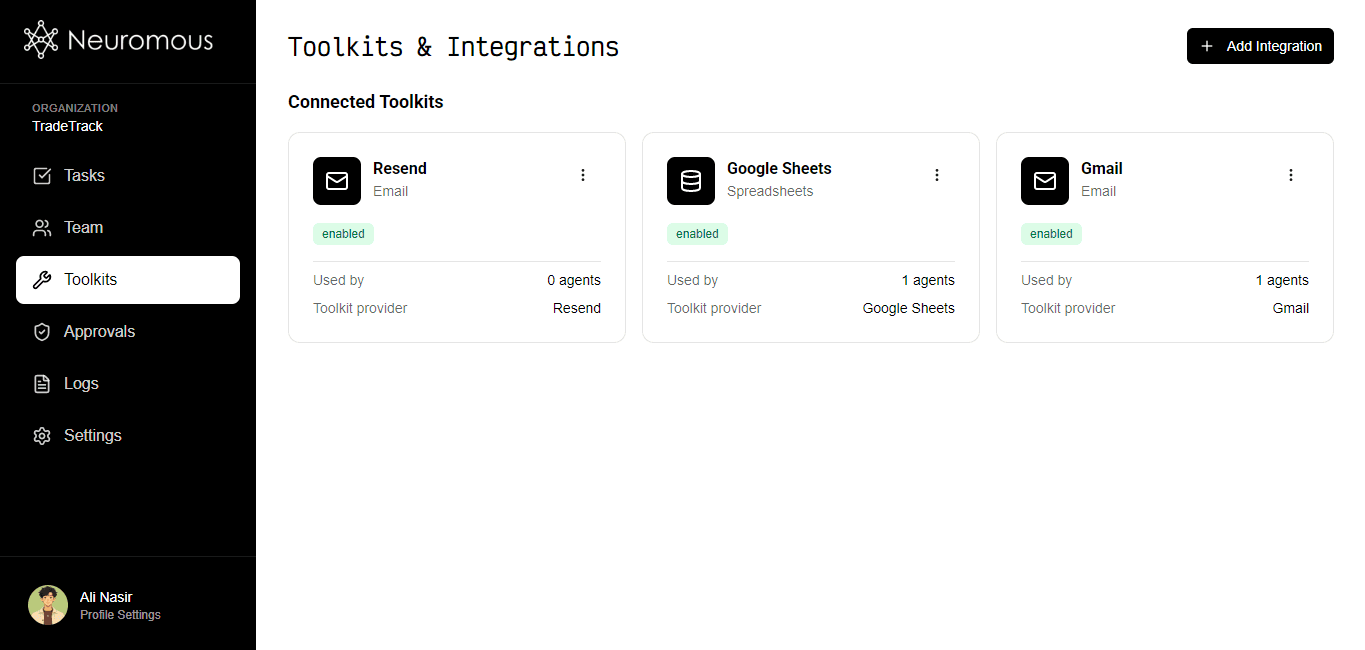
The screenshot above shows the Toolkits section, where you can manage integrations and accounts. Use the 'Add Integration' button in the top-right corner to create a new toolkit. Toolkits allow AI agents to interact with external services and perform actions such as sending emails, creating documents, updating spreadsheets, managing CRM records, and much more. When a toolkit is assigned to an AI agent, the agent can access the tools available within that toolkit and decide when to use them while executing tasks. Before an agent can use a toolkit, the toolkit must be enabled and connected using either OAuth 2.0 or an API key, depending on the provider.
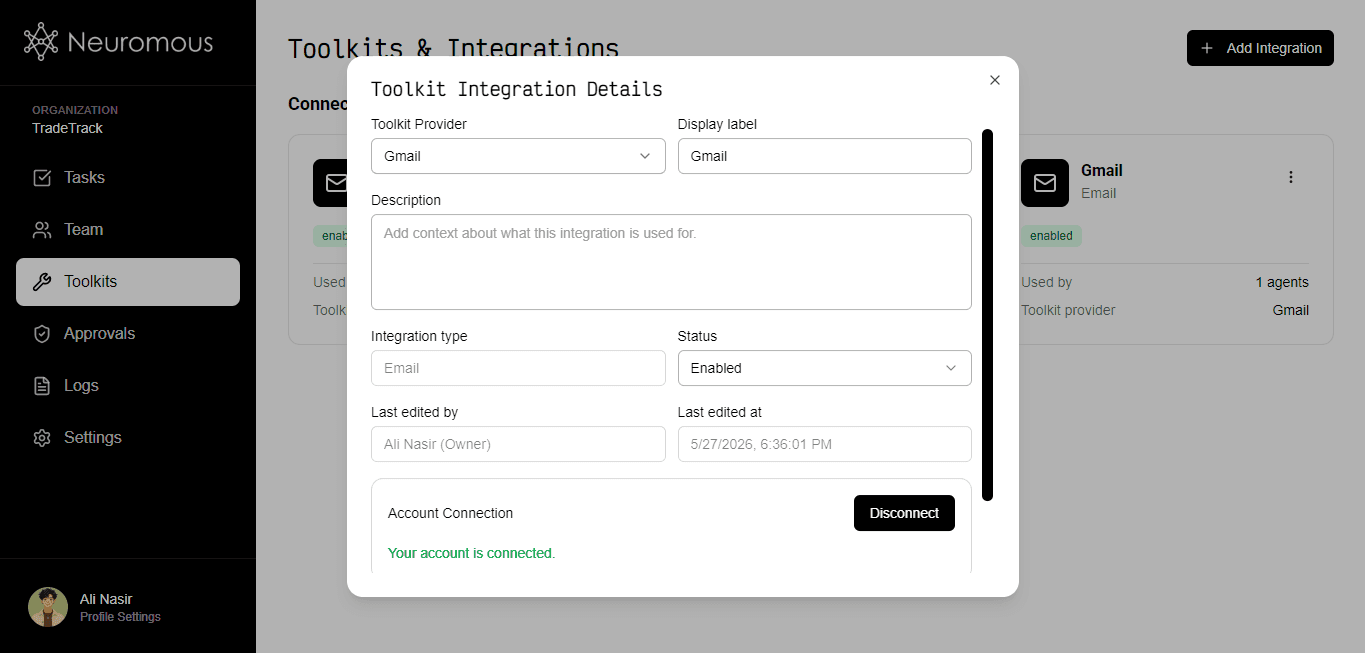
Choose from over 100 supported providers, including Gmail, Slack, HubSpot, Google Sheets, Notion, and many others.
Explore Providers. Each toolkit should have a clear label and description so agents understand its purpose and when to use it.
To connect a toolkit:
• OAuth 2.0 providers will redirect you to the provider's authorization page, where you can grant access permissions.
• API key providers require you to enter a valid API key obtained from the provider.
Once connected, the toolkit becomes available for AI agents to use.
Explore Providers. Each toolkit should have a clear label and description so agents understand its purpose and when to use it.
To connect a toolkit:
• OAuth 2.0 providers will redirect you to the provider's authorization page, where you can grant access permissions.
• API key providers require you to enter a valid API key obtained from the provider.
Once connected, the toolkit becomes available for AI agents to use.
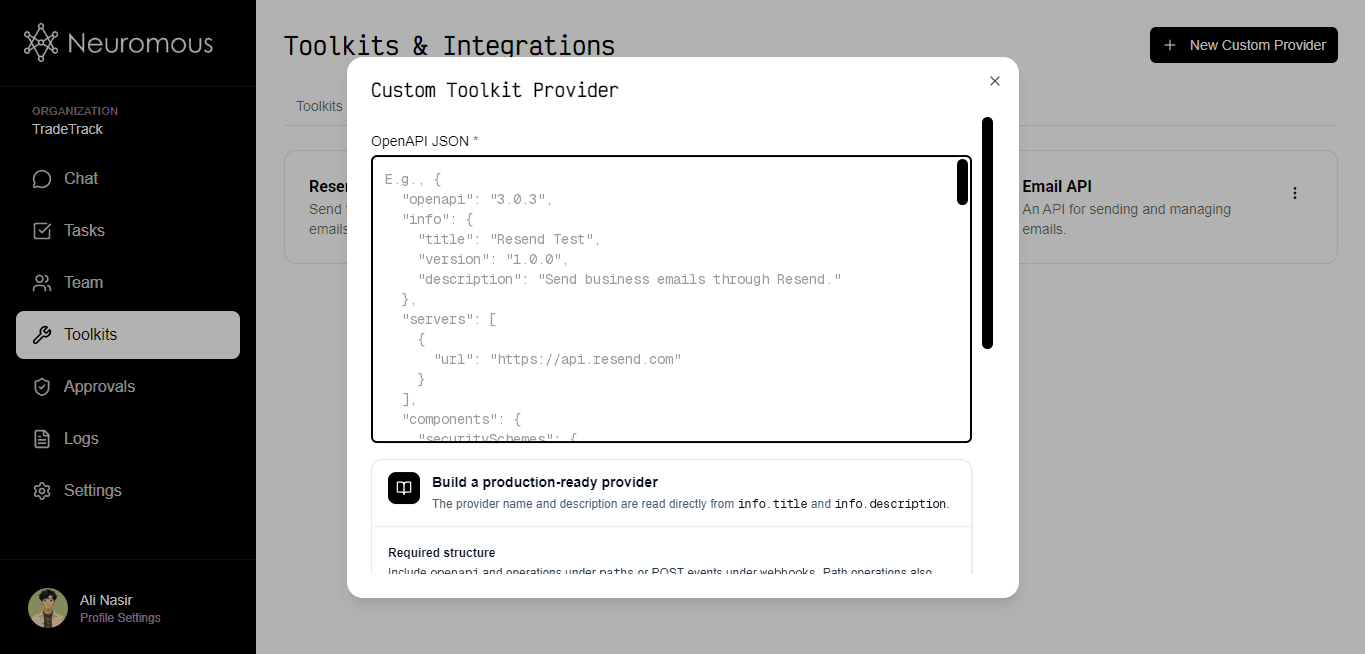
The screenshot above shows the Custom Toolkit Provider modal, where you can create a custom integration of your choice using the OpenAPI JSON format. The API must be accessible via HTTP. Once a custom provider is created, you can create a toolkit in the Toolkits tab, select this provider, and connect it using an API key, bearer token, or basic authentication depending on the authentication method defined in the OpenAPI JSON and supported by the API.
2. Team
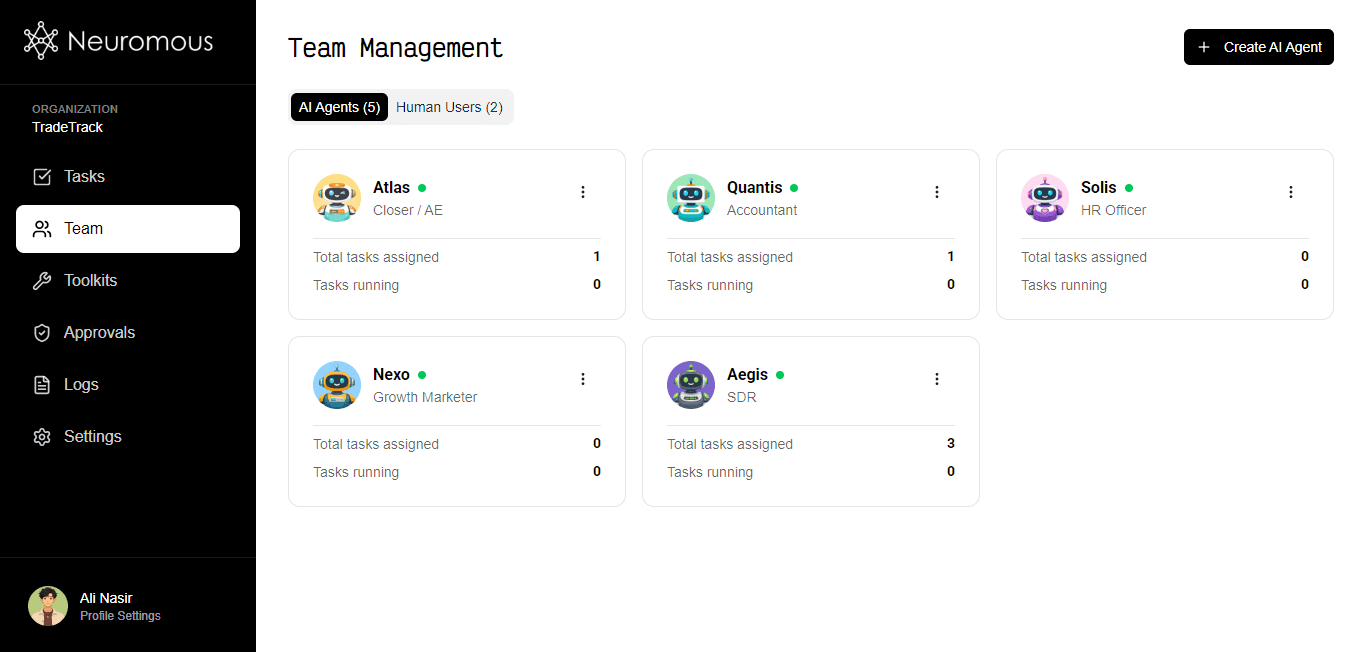
The screenshot above shows the Team section, which contains two tabs:
• AI Agents
• Human Users
AI agents perform task on your behalf, while human users can collaborate within your organization and manage resources based on their assigned permissions. You can create new AI agents or invite team members to help manage agents, toolkits, tasks, goals, and other workspace resources.
• AI Agents
• Human Users
AI agents perform task on your behalf, while human users can collaborate within your organization and manage resources based on their assigned permissions. You can create new AI agents or invite team members to help manage agents, toolkits, tasks, goals, and other workspace resources.
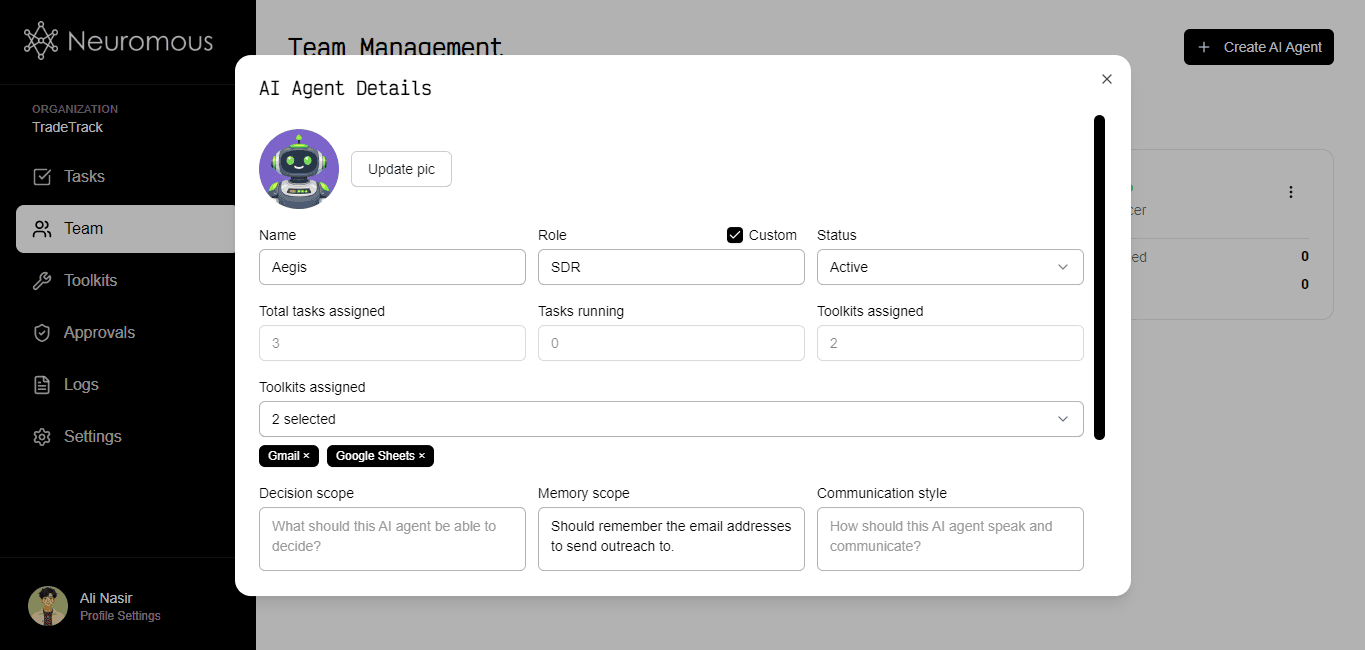
When creating or editing an AI agent, you can customize its identity, capabilities, and behavior.
Configure:
• Name and profile picture
• Role and responsibilities
• Up to 10 assigned toolkits
• Decision-making scope
• Memory scope
• Communication style
• Instructions and operating guidelines
• Traits and areas of expertise
The more clearly an agent's responsibilities and expertise are defined, the better it can make decisions and execute tasks effectively.
Configure:
• Name and profile picture
• Role and responsibilities
• Up to 10 assigned toolkits
• Decision-making scope
• Memory scope
• Communication style
• Instructions and operating guidelines
• Traits and areas of expertise
The more clearly an agent's responsibilities and expertise are defined, the better it can make decisions and execute tasks effectively.
3. Tasks
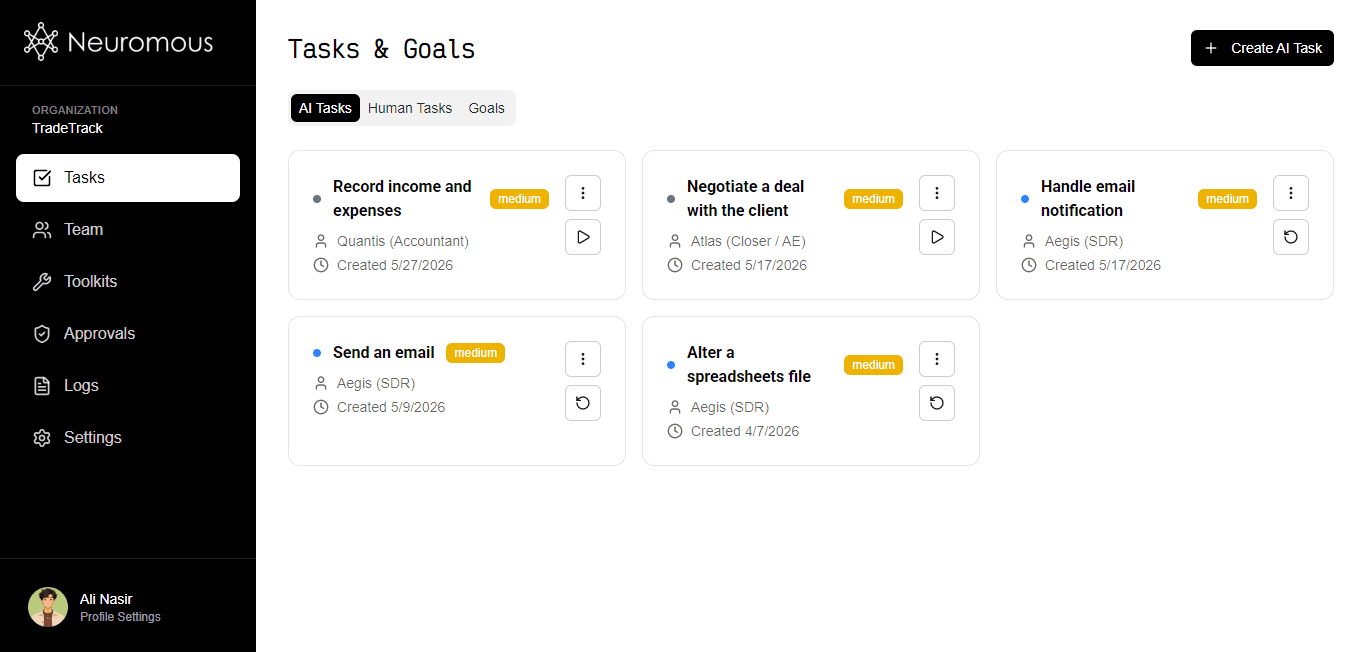
The screenshot above shows the Tasks section, which contains three tabs:
• AI Tasks
• Human Tasks
• Goals
Tasks represent work that needs to be completed. Goals help organize and align multiple tasks toward a larger objective. You can run autonomous goal engine in the Goals tab for long-running works.
AI tasks are performed by AI agents, while human tasks are assigned to members of your organization.
• AI Tasks
• Human Tasks
• Goals
Tasks represent work that needs to be completed. Goals help organize and align multiple tasks toward a larger objective. You can run autonomous goal engine in the Goals tab for long-running works.
AI tasks are performed by AI agents, while human tasks are assigned to members of your organization.
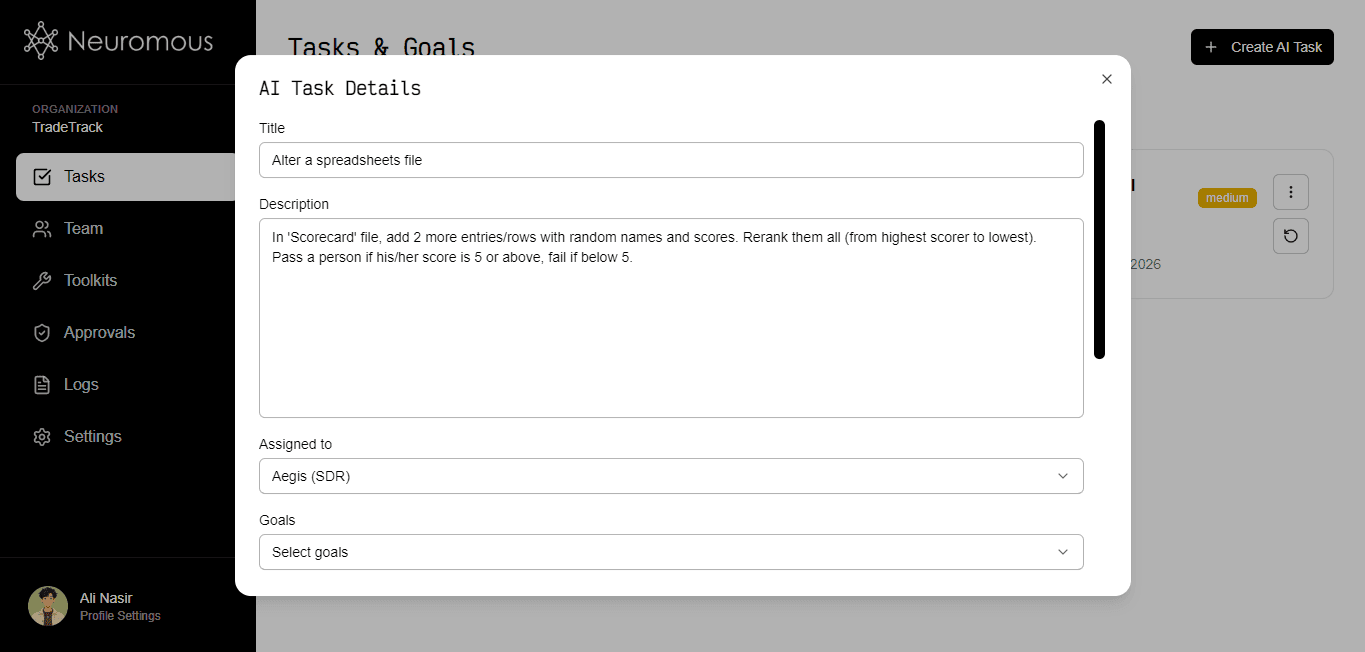
Provide:
• Task title
• Description
• Associated goal (optional)
• Assigned AI agent
An AI task must be assigned to an agent before it can run. Additionally, the selected agent must have at least one connected and enabled toolkit. Without an assigned agent and usable toolkit, the task cannot be executed.
• Task title
• Description
• Associated goal (optional)
• Assigned AI agent
An AI task must be assigned to an agent before it can run. Additionally, the selected agent must have at least one connected and enabled toolkit. Without an assigned agent and usable toolkit, the task cannot be executed.
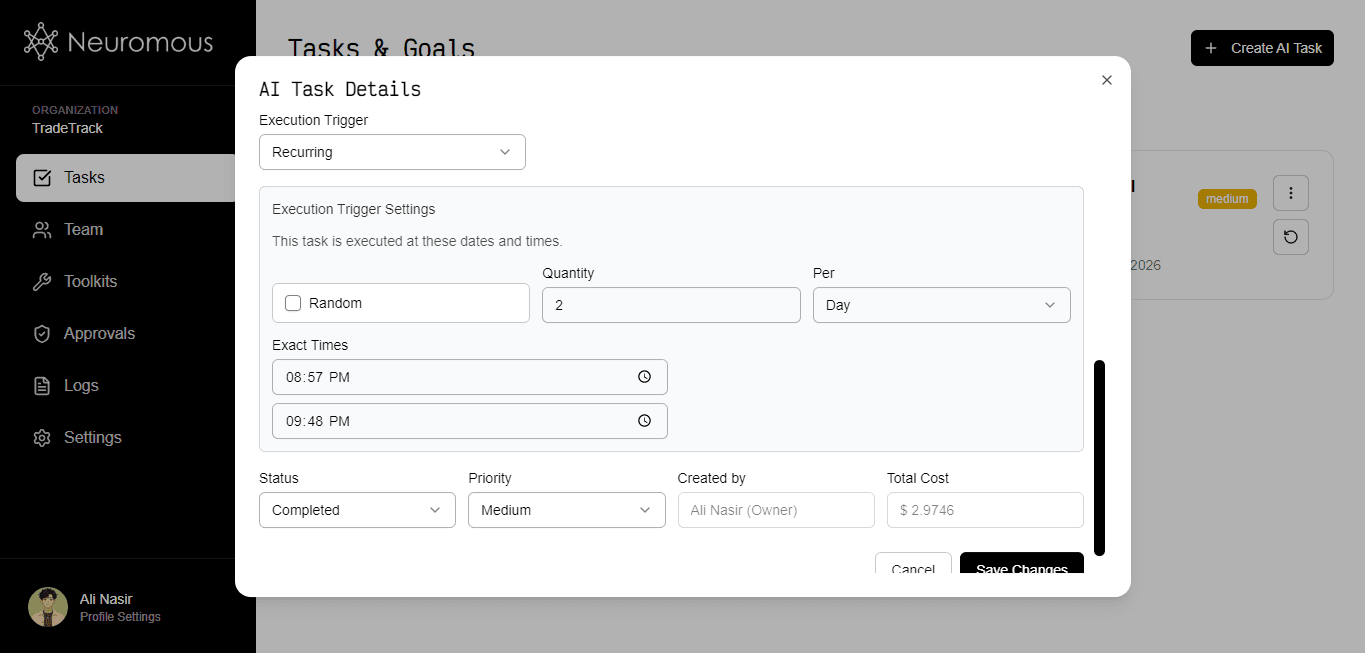
Using 'Execution Trigger' field, define how you want to execute the task.
1. Immediate: Execute the task right away (after it's run).
2. Scheduled: Execute the task at a specific date and time.
3. Recurring: Execute the task repeatedly based on a defined schedule or interval.
4. Event-driven: Execute the task when a selected toolkit detects a specific notification or event.
5. After a task: Execute the task automatically after execution of certain task(s) whether it's recurring or not.
A task will NOT be executed when it's not running (its status is anything other than 'Running'). Tasks with any other status will remain inactive regardless of their trigger configuration.
1. Immediate: Execute the task right away (after it's run).
2. Scheduled: Execute the task at a specific date and time.
3. Recurring: Execute the task repeatedly based on a defined schedule or interval.
4. Event-driven: Execute the task when a selected toolkit detects a specific notification or event.
5. After a task: Execute the task automatically after execution of certain task(s) whether it's recurring or not.
A task will NOT be executed when it's not running (its status is anything other than 'Running'). Tasks with any other status will remain inactive regardless of their trigger configuration.
4. Goals
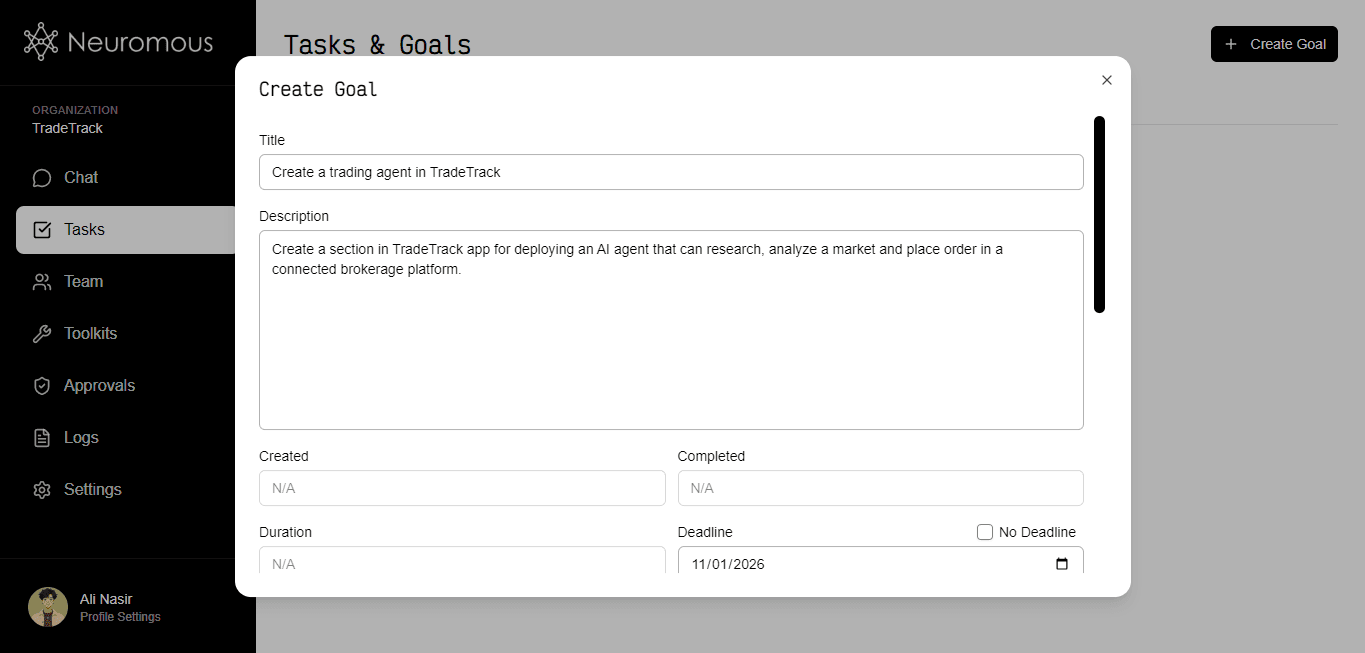
The screenshot above shows the Goal modal (create or update) in Tasks section's Goals tab.
This is where you create a long-term, highest-level goal to be used either as a reference for tasks or for automatic agent collaboration and work toward a long-term objective.
Provide:
• Goal title
• Description
• Deadline (optional)
• Priority
This is where you create a long-term, highest-level goal to be used either as a reference for tasks or for automatic agent collaboration and work toward a long-term objective.
Provide:
• Goal title
• Description
• Deadline (optional)
• Priority
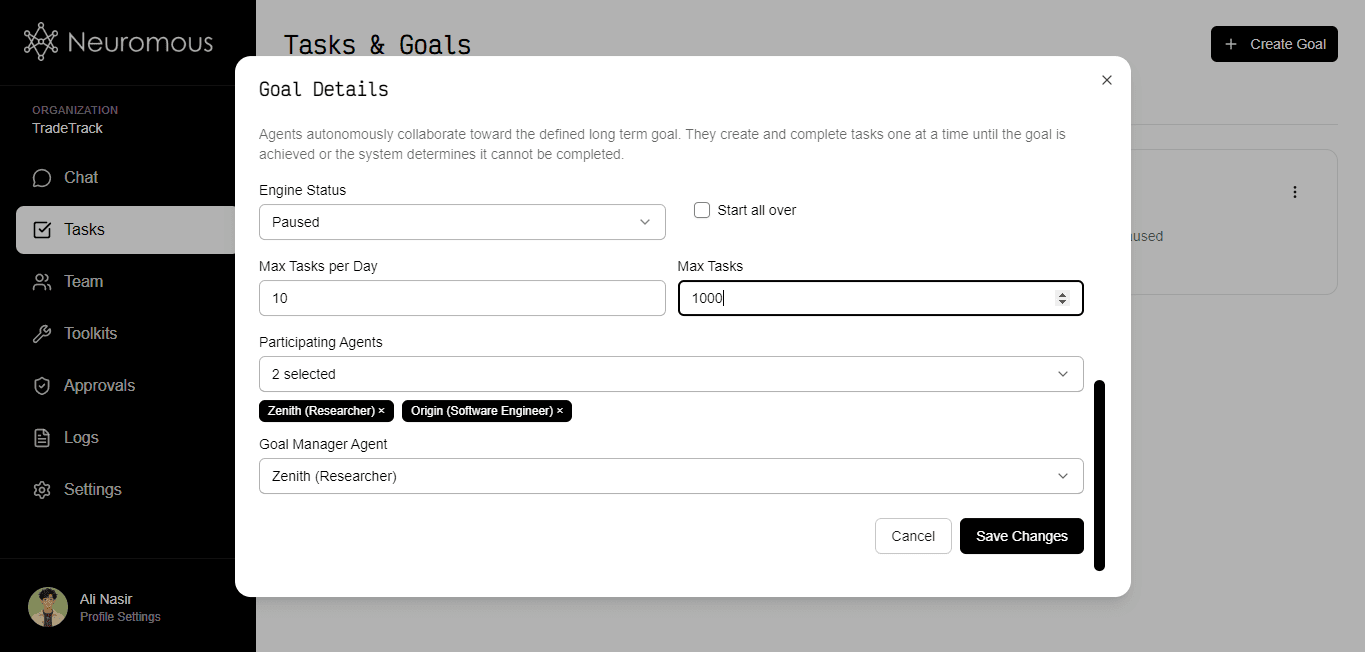
The screenshot above shows where automatic agent collaboration and long-term work take place. After you provide the required details, set the maximum task limit, select the participating and managing agents, and run the Goal Engine. The agents will automatically create tasks and work on them until the goal is either achieved or fails for any reason. The Goal Manager agent collaborates with the participating agents and decides the plan and the next task or step at the start of the process and after each task is completed. A task can be executed either immediately or at a specified date and time.
5. Chat
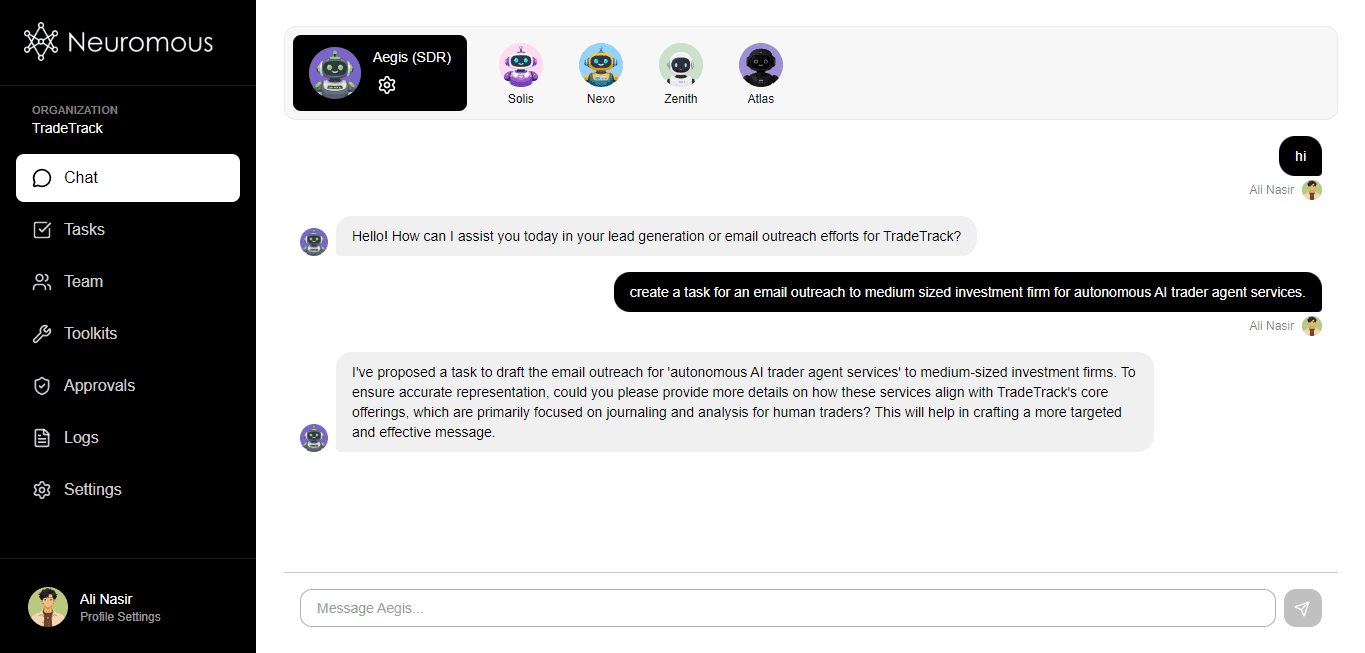
The screenshot above shows the Chat section. You can chat with any agent from the Team section by clicking the three-dot icon in the top-right corner of any agent and then clicking "Chat". In the Chat section, you can provide information, ask questions, or command any agent to create, update, or delete tasks or goals. Each message or prompt can contain a maximum of 15 task actions (create, update, or delete) and 5 goal actions (create, update, or delete).